App by the author
Nardy — Backgammon & Long Narde
Long Narde and classic backgammon for iPhone. Play a friend or a chatty AI, and on iPhone Duo the fold becomes the bar.
SwiftUI does support Markdown, but with nuances. Since iOS 15, Text can render inline Markdown. But there are limits you need to understand. In this guide, we'll see how to work with Markdown in SwiftUI without third-party libraries.
Basic formatting
Let's start with the simplest case — inline Markdown rendered directly by Text:
import SwiftUI

struct ContentView: View {
    var body: some View {
        Text("SwiftUI **does** support Markdown, but with _nuances_.")
    }
}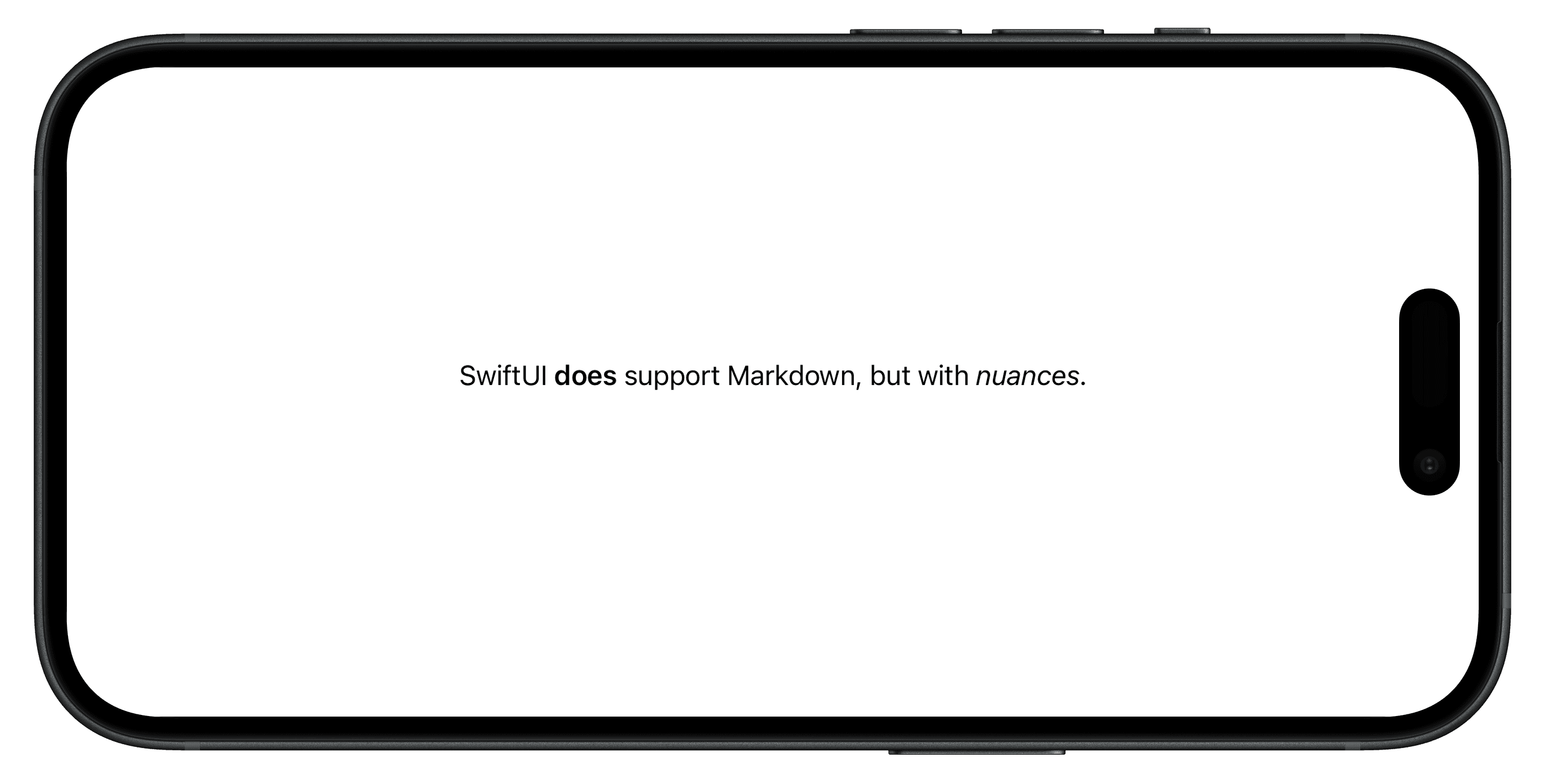
At first glance, everything looks correct — but this behavior depends on how Text is initialized. Real content is usually dynamic, so let's store it in state:
import SwiftUI

struct ContentView: View {
    @State private var string = "SwiftUI **does** support Markdown, but with _nuances_."

    var body: some View {
        Text(string)
    }
}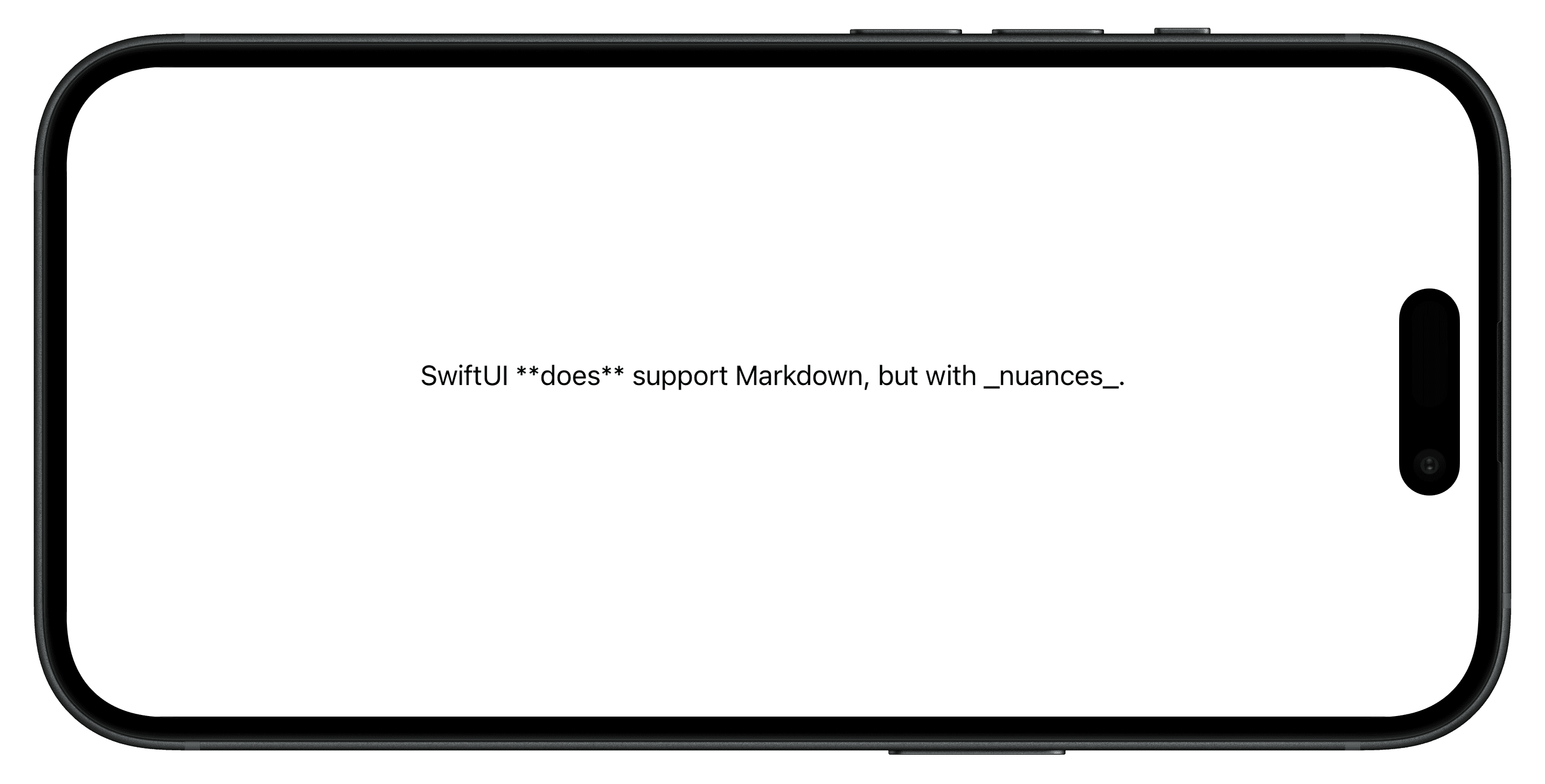
The key detail: Text chooses its initializer based on the parameter type:
public init(_ key: LocalizedStringKey, tableName: String? = nil, bundle: Bundle? = nil, comment: StaticString? = nil)

public init<S>(_ content: S) where S : StringProtocol
The fix is simple — use LocalizedStringKey explicitly:
@State private var string: LocalizedStringKey = "SwiftUI **does** support Markdown, but with _nuances_."According to Apple's documentation, Text supports only inline Markdown. More complex structures like lists or block quotes are not supported. What about links?
Handling links in Markdown
Let's update the string to include a link:
import SwiftUI

struct ContentView: View {
    @State private var string: LocalizedStringKey = "SwiftUI **does** support Markdown, but with _nuances_. Read more on [artemnovichkov.com](https://artemnovichkov.com)"

    var body: some View {
        Text(string)
    }
}
It works as expected: links are tappable and automatically handled by the system.

You can customize link behavior via the openURL environment:
Text(string)
    .environment(\.openURL, OpenURLAction { url in
        guard url.host == "artemnovichkov.com" else {
            return .discarded
        }
        return .systemAction
    })
Starting with iOS 26, links can be opened in-app:
Text(string)
    .environment(\.openURL, OpenURLAction { url in
        guard url.host == "artemnovichkov.com" else {
            return .discarded
        }
        if #available(iOS 26.0, *) {
            return .systemAction(prefersInApp: true)
        }
        return .systemAction
    })
To change link color, we can use the tint modifier:
Text(string)
    .tint(.orange)
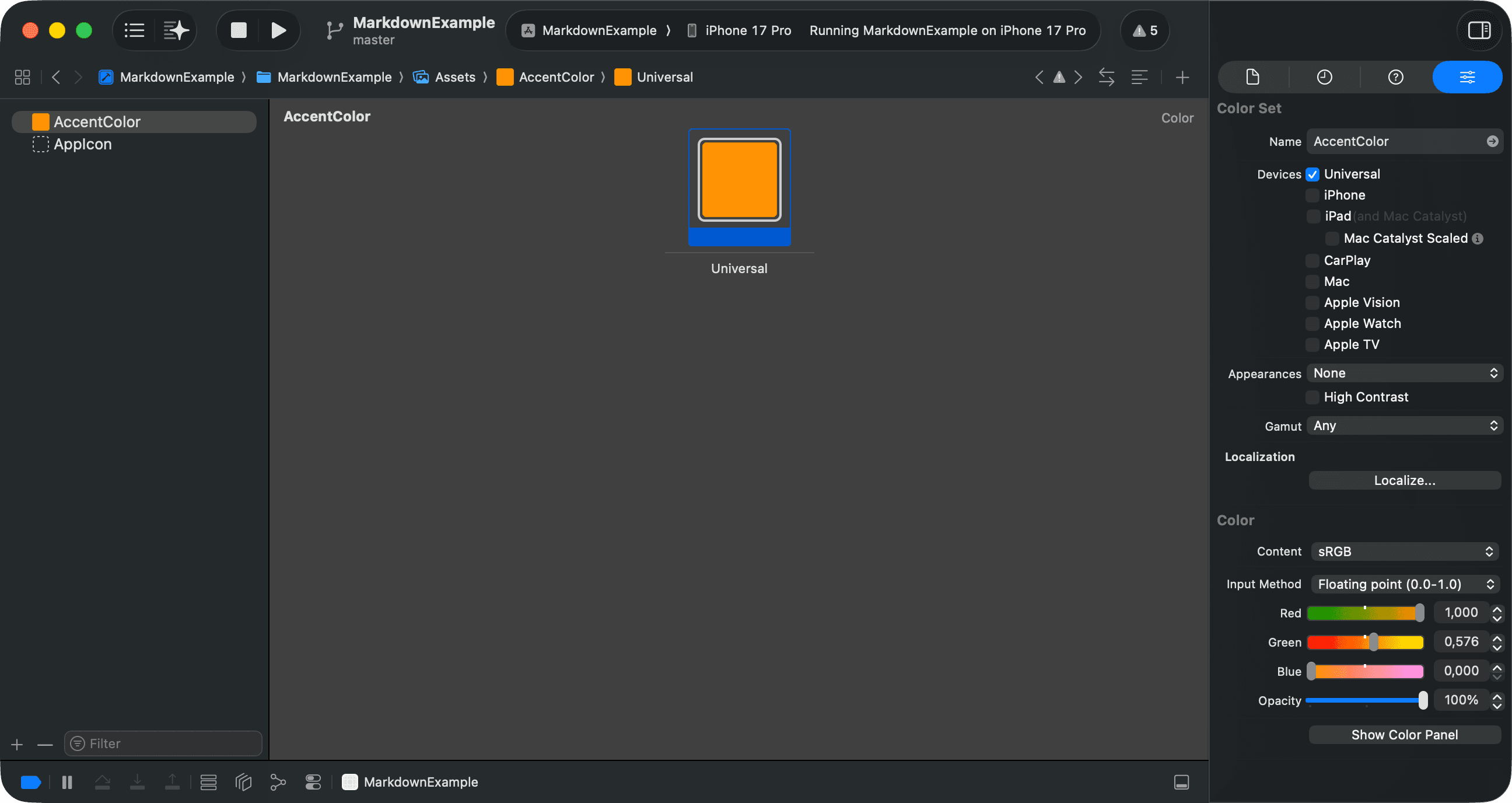
To apply color for all links in the app, set it in the AccentColor in Assets.xcassets:
Links are often decorated with underlines. You can add them using AttributedString, which we will cover next.
AttributedString, the real power of Markdown
AttributedString is where Markdown in SwiftUI gets real. let's update our example to use it:
import SwiftUI

struct ContentView: View {
    @State private var string: AttributedString = ""

    var body: some View {
        Text(string)
            .onAppear {
                do {
                    let markdown = "SwiftUI **does** support Markdown, but with _nuances_. Read more on [artemnovichkov.com](https://artemnovichkov.com)"
                    string = try AttributedString(markdown: markdown)
                } catch {
                    print("Failed to parse markdown: \(error)")
                }
            }
    }
}
The initializer AttributedString(markdown:) parses inline Markdown into an attributed string. It can throw errors, but they're not related to basic Markdown syntax. We'll get back to this later.
AttributedString gives us access to individual text runs, allowing fine-grained styling:
for run in string.runs {
    if run.link != nil {
        string[run.range].foregroundColor = .green
        string[run.range].underlineStyle = .single
    }
}
Here's the result:

Runs are powerful. You can inspect and modify attributes for different text elements, like links, dates, names, measurements, and more. We can even define custom attributes for Markdown syntax extensions, which we'll explore later.
Extending Markdown with custom attributes
AttributedString supports custom attributes, which we can leverage to extend Markdown syntax. For example, let's create a custom color attribute to apply text color directly from Markdown:
import Foundation

// 1
enum ColorAttribute: DecodableAttributedStringKey, MarkdownDecodableAttributedStringKey {
    typealias Value = String
    static let name = "color"
}

// 2
extension AttributeScopes {
    struct Custom: AttributeScope {
        let color: ColorAttribute
    }

    var custom: Custom.Type { Custom.self }
}

// 3
extension AttributeDynamicLookup {
    subscript<T: AttributedStringKey>(dynamicMember keyPath: KeyPath<AttributeScopes.Custom, T>) -> T {
        self[T.self]
    }
}
Here's how it works:
- We define a custom attribute
ColorAttributeconforming toDecodableAttributedStringKeyandMarkdownDecodableAttributedStringKey. The main purpose is to specify how to decode the attribute from Markdown. - We extend
AttributeScopesto include our custom attribute scope. We'll use this scope when working withAttributedString. - We add a dynamic lookup subscript to access our custom attributes easily.
Now, we can use this custom attribute in our Markdown string:
// 1
let markdown = "^[SwiftUI](color: 'red') **does** support Markdown, but with _nuances_. Read more on [artemnovichkov.com](https://artemnovichkov.com)"
// 2
string = try AttributedString(markdown: markdown, including: \.custom)
for run in string.runs {
    if run.link != nil {
        string[run.range].foregroundColor = .green
        string[run.range].underlineStyle = .single
    }
    // 3
    if let color = run.color {
        string[run.range].foregroundColor = Color(color)
    }
}
Here's the breakdown:
- We define a Markdown string that uses our custom
colorattribute. Here is a place where an error may occur in parsing:
Failed to parse markdown: dataCorrupted(Swift.DecodingError.Context(codingPath: [], debugDescription: "The given data was not valid JSON.", underlyingError: Optional(Error Domain=NSCocoaErrorDomain Code=3840
"Unexpected end of file" UserInfo={NSDebugDescription=Unexpected end of file})))
- We parse the Markdown string into an
AttributedString, specifying our custom attribute scope. - We iterate over the runs and apply the color attribute to the corresponding text ranges.
That's it. You can now extend Markdown with custom attributes and style text exactly the way you need: